
INTRODUCTION TO STORYVERSE
Watch this short 1-minute overview of how Storyverse works. Then, for more detailed walkthroughs, check out the videos below:
STORYVERSE WALKTHROUGHS
Note that the walkthroughs below are for the Storyverse Beta v1.0. A number of features and elements will be refined or added for the school-ready version of Storyverse.
EDUCATOR DASHBOARD - STUDENT MANAGEMENT
Easy and intuitive student creation
Search for students and edit easily
ZERO student PII data needed
EDUCATOR DASHBOARD - QUEST MANAGEMENT
Browse and search for all Quests
Preview Quests to see the student experience in advance
Allow students to join Quests instantly from any device
STUDENT EXPERIENCE - LEARN QUEST
Immersive, hand-crafted story-like experiences
Quests allow individually-paced progression
Creative preparation for the Create Quest
STUDENT EXPERIENCE - CREATE QUEST
Direct and tailored student-AI interaction
Result is a unique AI prompt and template for future use
Every Create Quest output can be printed/created/deployed
STUDENT OUTPUT EXAMPLE
Every Create Quest has a unique and different output. Below is an example from the Trading Card Create Quest. At launch, Quests will include outputs such as: Books, Maps, Computer Games, Trading Cards, T-Shirt Designs, Board Games and more…
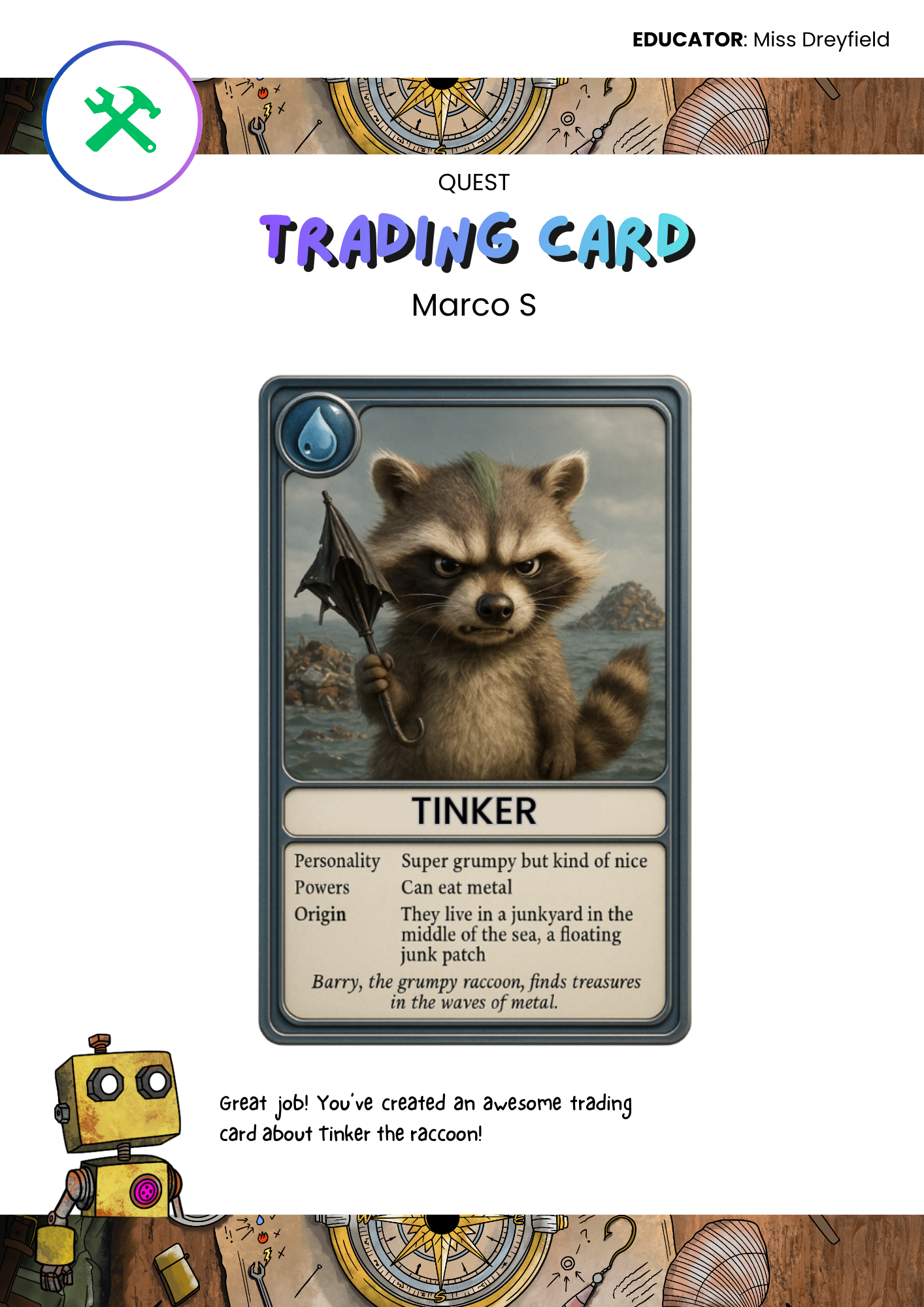
Quest Summary
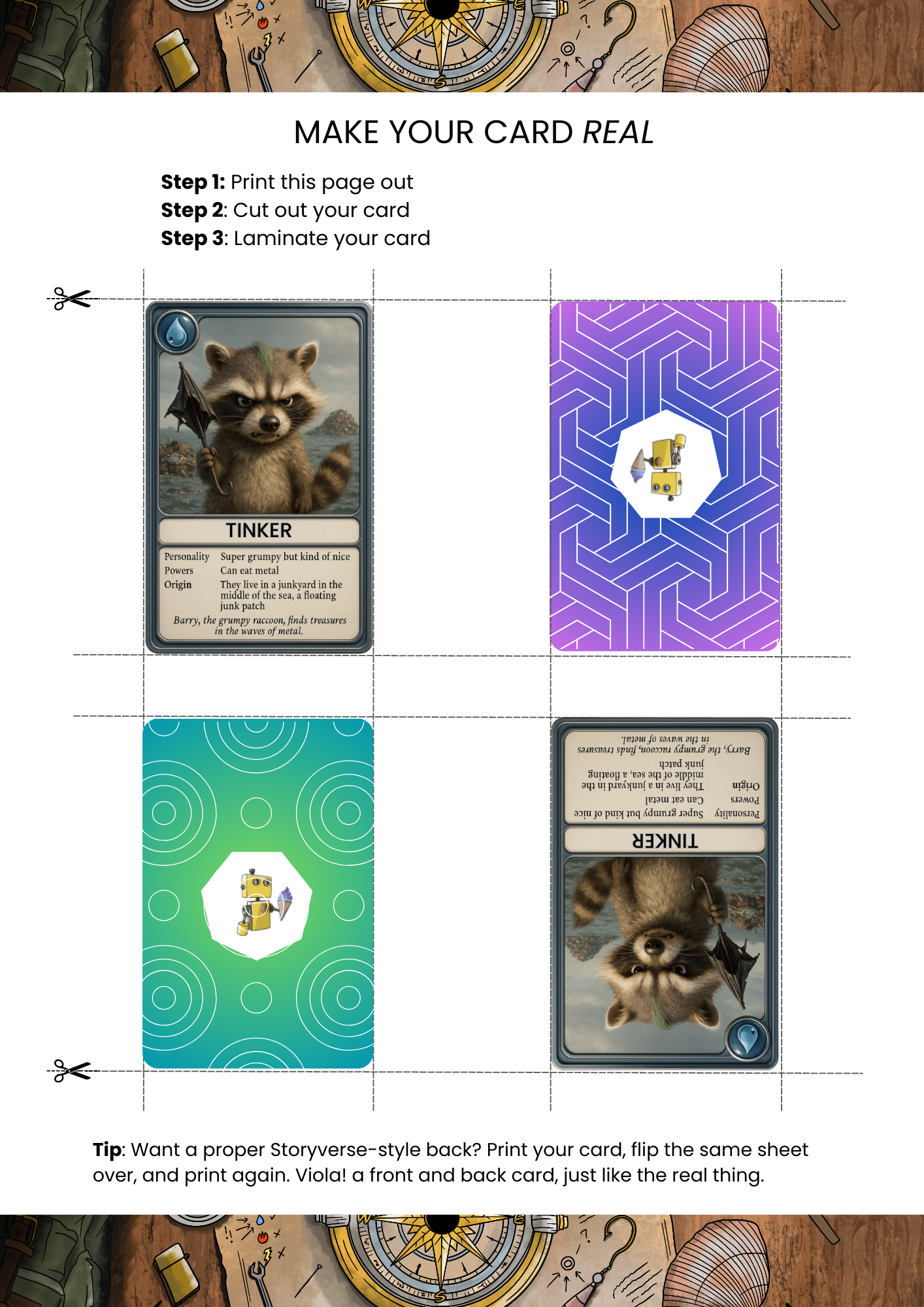
Quest Printable Page
(Trading Card Tangible Output)
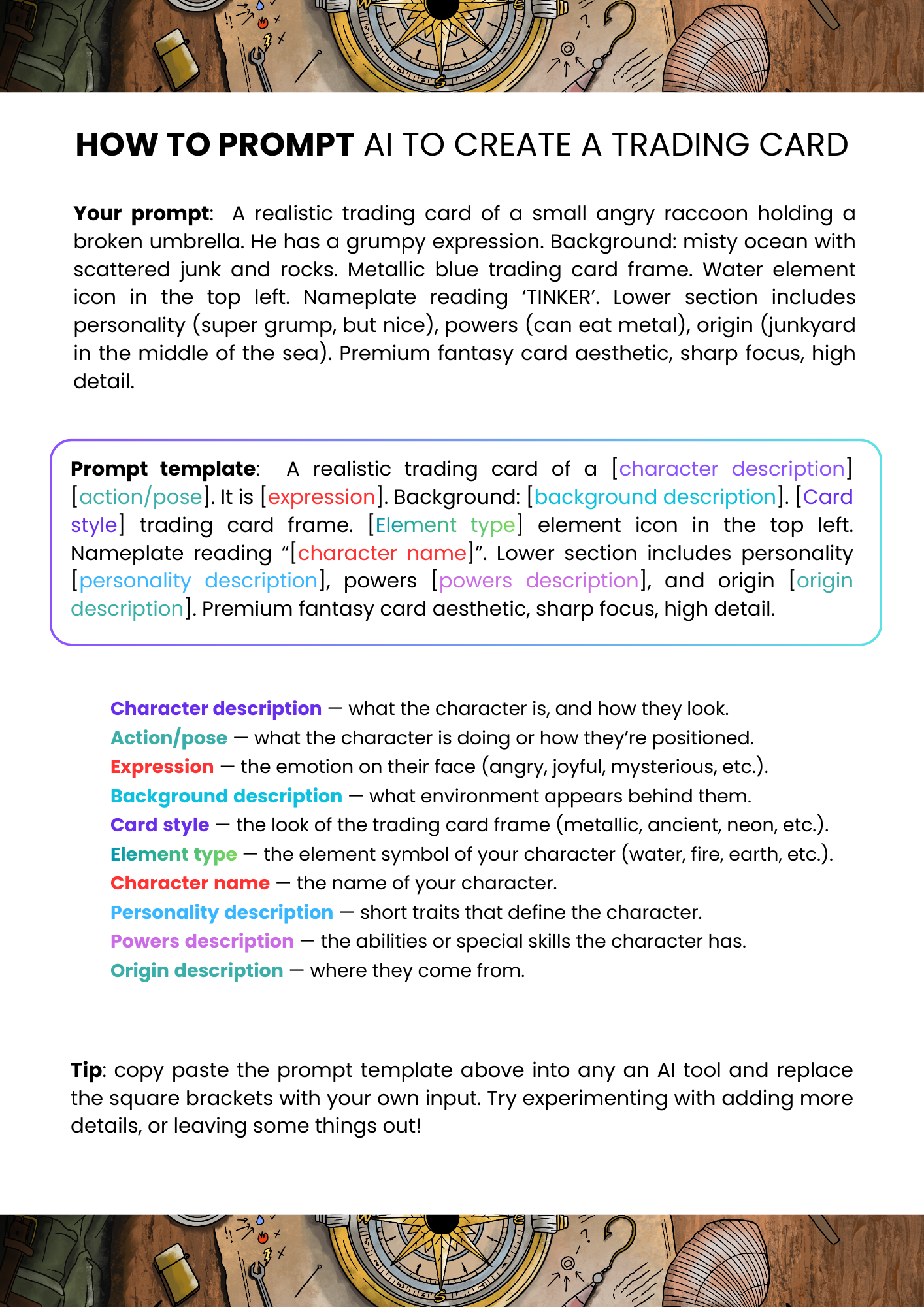
Final AI Prompt and Template